Claude, the AI assistant

Ask your CRM in plain language.

CRM One360 includes an MCP server (Model Context Protocol), the open standard that lets AI assistants work with your programs. With Claude Desktop on the same computer, Claude reads your CRM One360 data and answers you. If an administrator allows it, it can also create and update records and send emails for you.

Examples

What you can ask

  • Which opportunities close this month?
  • Which tickets does Laura have open?
  • Which customers have we not called for three months?
  • Create a task to call Blue Lagoon Pools on Monday.
  • Reply to Thomas Evans with the 2026 price list in the body.
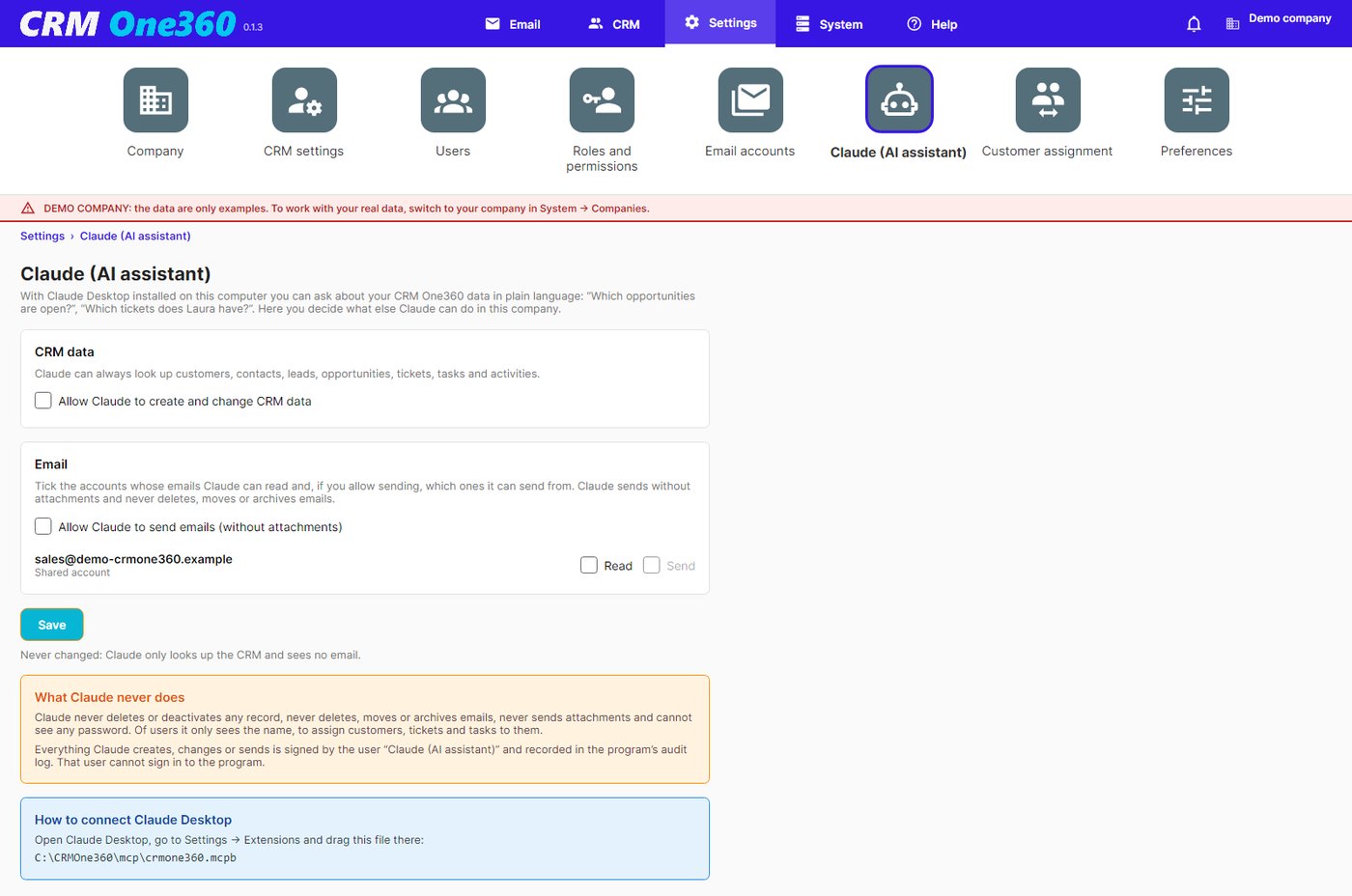
Claude settings in CRM One360
Settings → Claude: an administrator decides what Claude may do.
Set-up

Four steps, once per computer.

Install Claude Desktop

Download it from claude.ai and sign in.

Add the extension

Drag C:\CRMOne360\mcp\crmone360.mcpb into Settings → Extensions.

Decide what Claude may do

In CRM One360, Settings → Claude: read only, create and change records, read or send email.

Ask

«Which opportunities close this month?» «Summarise everything about this customer.»

Always under your control

What Claude never does.

  • It never deletes or deactivates any record.
  • It never deletes, moves or archives emails.
  • It never sends attachments.
  • It never sees passwords.
  • Out of the box it only looks things up: writing and email are switched on by an administrator, company by company and account by account.
  • Everything it does is signed by the user «Claude (AI assistant)».

Claude works with your data, on your computer.

CRM One360 does not send your data to any cloud of ours: Claude reads them through the extension installed on your computer.